Power Connection
Your gasleser.pulse requires a constant power supply through the included power adapter for operation.
Connecting the Power Adapter
Step 1: Connect Power Adapter to Outlet
Connect the included power adapter to a suitable outlet near your gas meter.
Step 2: Connect USB-C Cable to the gasleser.pulse
Connect the USB-C cable of the power adapter to the port on your mounted gasleser.pulse.
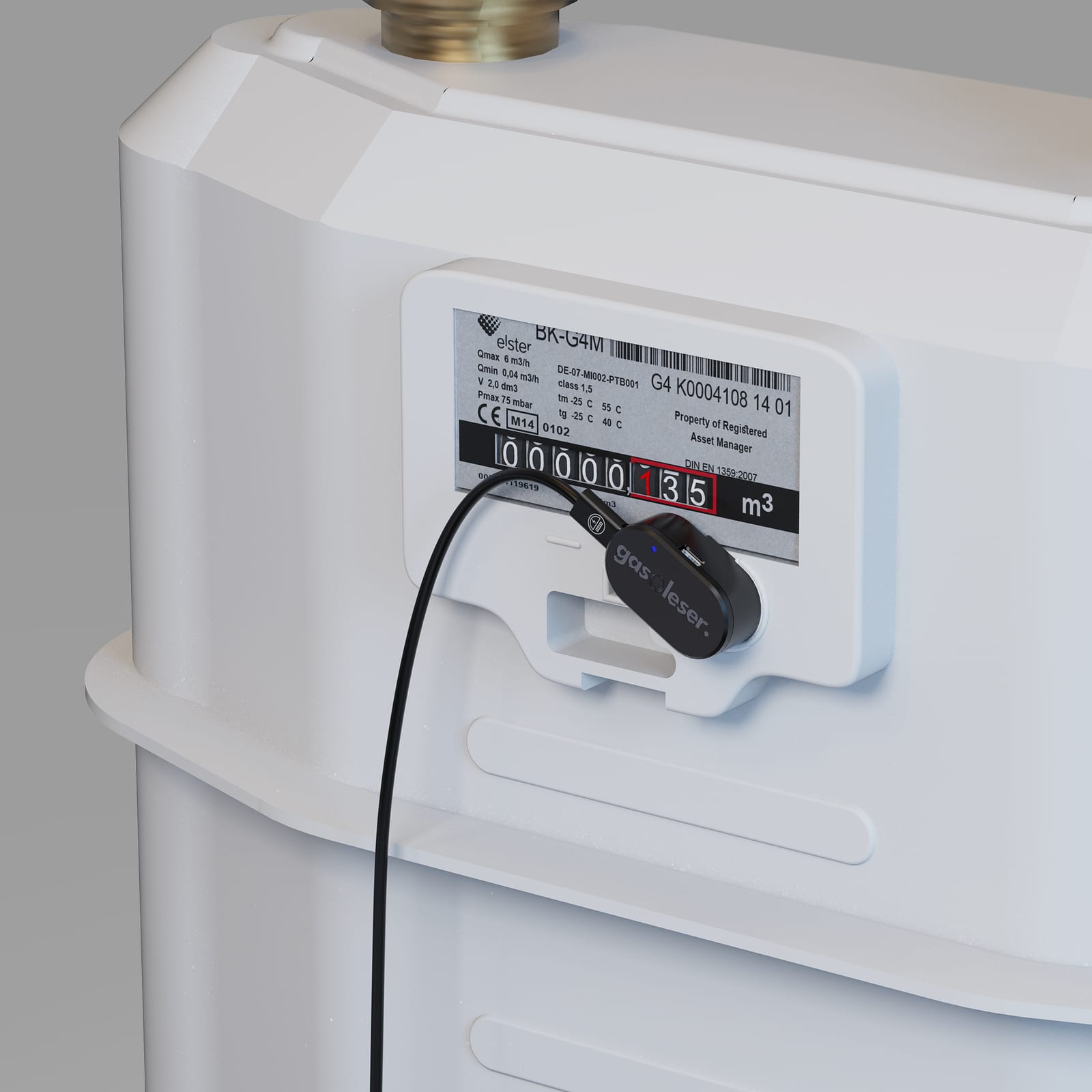
Let the cable hang down loosely. That way nothing tugs at the device and pulls it out of position.
Checking Power Supply
After connecting, your gasleser.pulse should:
- Turn on its LED indicators
- Start recording data
- Appear on your WiFi network (during initial setup)
Power Supply
- Only use the included power adapter
- Make sure the power adapter is installed securely and protected from moisture
- The gasleser.pulse should stay powered permanently to ensure uninterrupted data recording
Important Note
Don't disconnect the device from power unnecessarily. Doing so creates gaps in consumption data — and the counter can reset, meaning you'll have to enter your meter reading again in the app.
The full list of signals is on the LED Indicators page.